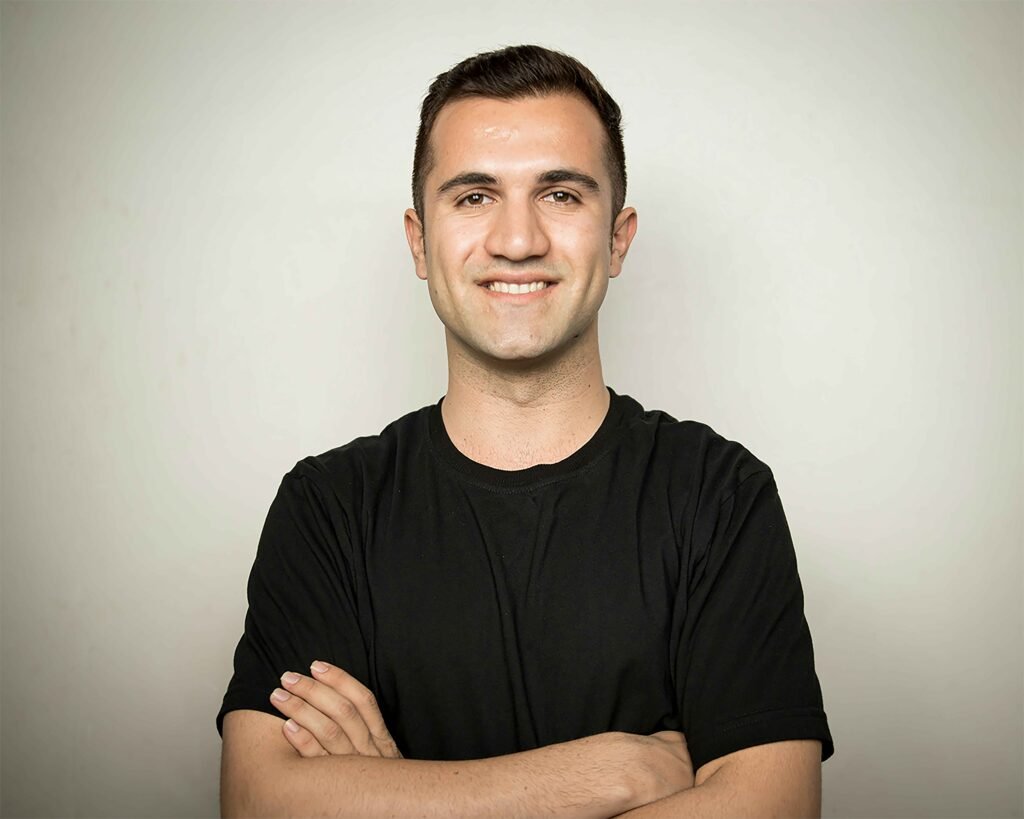

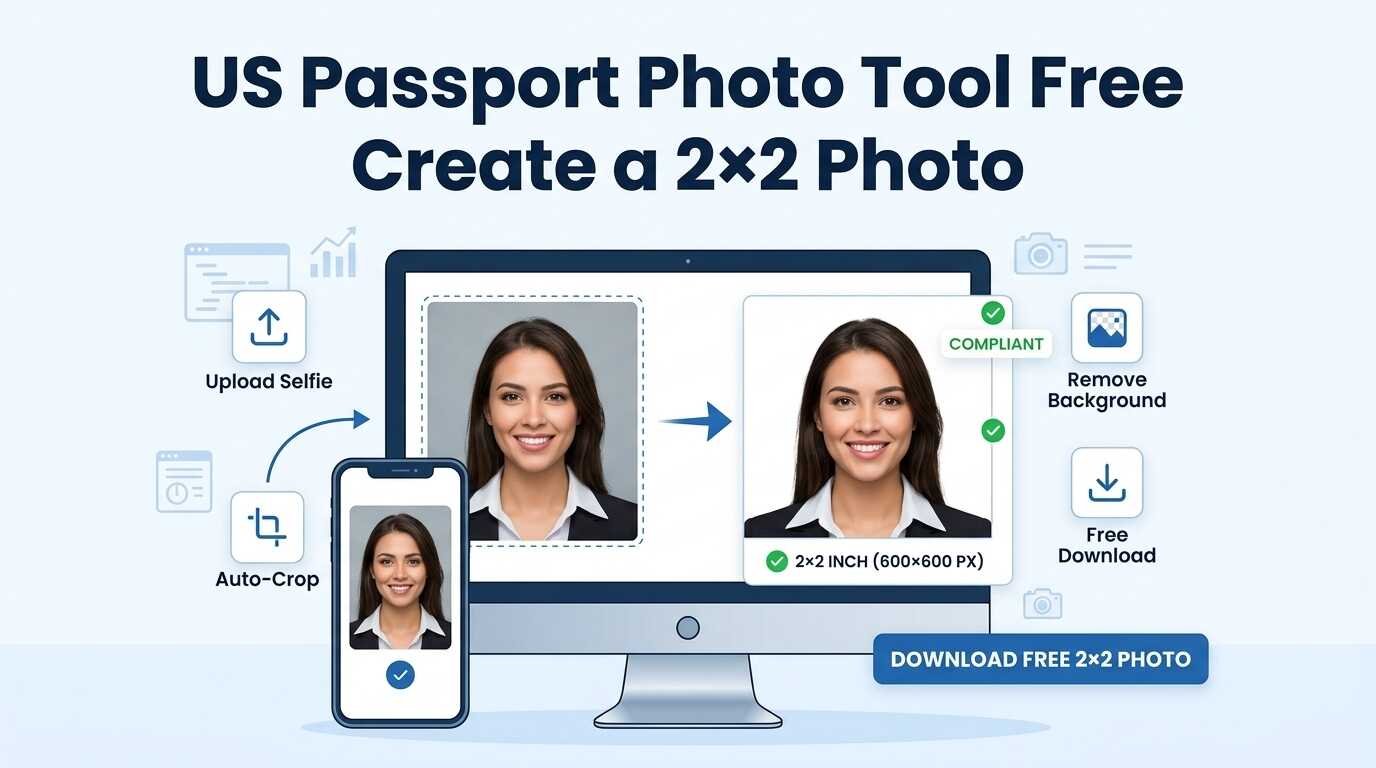
A us passport photo tool free can help you crop, resize, and prepare a photo at home without paying for a studio. But a tool cannot turn every selfie into an acceptable passport photo. The original photo still needs proper lighting, background, expression, framing, and image quality.
For a printed U.S. The final passport photo should measure 2 × 2 inches (51 × 51 mm), with the head measuring 1 to 1⅜ inches from chin to crown. The U.S. Department of State requires the image to be recent, in color, and taken against a plain white or off-white background that meets official photo background requirements.
A separate process applies to online passport renewal. An original digital image is required, and the file specifications are different for this process. Before submitting anything, check the current official instructions because a free photo editor can assist with formatting but cannot guarantee government acceptance.
How the Free Tool Works
A reliable us passport photo tool free should guide you through four steps.
1. Select the document type
Choose the correct option before uploading an image:
- Printed U.S. passport photo.
- Digital photo for online passport renewal.
- U.S. visa photo.
- Green-card or other immigration photo.
- Foreign passport or visa photo.
Do not assume that every document uses the same dimensions. “Passport size” is not a universal global standard, and a U.S. A photo that meets passport requirements may not necessarily meet the requirements for a foreign visa.
2. Upload or take a photo
Use a recent color photo with:
- Your face clearly visible.
- Your head facing forward.
- Both eyes visible.
- A plain background.
- Even lighting.
- No beauty filter or facial retouching.
For the best result, use the original camera file rather than a screenshot, social-media download, or image sent through a messaging app to maintain proper image quality. Compression can reduce sharpness.
3. Crop and format it
The tool may help you:
- Create a square crop.
- Center your head and shoulders.
- Apply the correct print dimensions.
- Prepare a digital upload.
- Arrange multiple photos on a print sheet.
- Convert the file to a suitable format.
Cropping and resizing are formatting actions. They are not permission to reshape your face, smooth your skin, replace your background, or apply artificial intelligence enhancements.
4. Download and inspect the result
Before submitting the file or printing it, check:
- The selected document type.
- Physical dimensions or pixel dimensions.
- File format.
- File size.
- Head size and position.
- Background.
- Image quality.
- Whether the tool added a filter or altered your appearance.
U.S. Passport Photo Requirements
Printed passport applications
For a regular paper application or passport renewal by mail, submit one recent color photo taken within the last six months. Face the camera straight on, keep your head centered, and use a neutral expression with both eyes open and visible.
The printed photo should meet these requirements:
| Photo element | U.S. requirement |
| Overall size | 2 × 2 inches, or 51 × 51 mm. |
| Color | Color photo. |
| Background | Plain white or off-white. |
| Face position | Directly facing the camera without tilting. |
| Expression | Neutral expression; mouth closed. |
| Eyes | Open and clearly visible. |
| Head size | Between 1 and 1⅜ inches, or 25–35 mm. |
| Recency | Taken within the last six months. |
| Quality | Sharp, clear, and not grainy or pixelated. |
| Paper | Matte or glossy photo-quality paper. |
| Editing | Use an unedited original photo without filters or other digital changes. |
The State Department also warns against photocopies, scanned photos, damaged prints, red-eye, visible printer dots, shadows, and images that are blurry or incorrectly sized.
Digital photo for online renewal
A 2 × 2-inch printed photo is different from a photo prepared for online renewal.
The State Department requires an original JPEG digital photo for online passport renewal.The online guidance also says the image should be recent, in color, square, clear, and free from filters or digital changes.travel.state+1
The current online photo guidance lists:
- A square digital image.
- At least 600 × 600 pixels.
- The image file must be at least 54 KB but no larger than 10 MB.
- A recent color photo.
- A plain white or off-white background.
- A directly facing head and visible eyes.
- No glasses unless a documented exception applies.
- No AI-generated or digitally altered appearance.
The government upload system performs a basic check, but an employee reviews the photo after submission as part of the passport application review process. If the image does not meet the required standards, another photo may be requested.
Use the official renewal website
If you are renewing online, make sure you are using the official government website. The State Department warns that the only authorized online renewal site is opr.travel.state.gov; unofficial websites may charge extra fees or expose personal information.
A free photo tool can prepare the required image, but you remain responsible for submitting the passport application.
How to Take a Better Photo at Home
A photo tool works best when the original picture is already close to compliant.
Use a plain background
Position yourself a few feet from a plain, light-colored wall with a white or off-white finish.
This helps reduce shadows and makes it easier to center your head.
Avoid:
- Patterned walls.
- Curtains.
- Furniture.
- Door frames.
- Visible lines or objects.
- Colored backgrounds.
- Strong shadows behind your head.
If the wall is not suitable, a plain white or off-white sheet may help, provided it is smooth and evenly lit.
Use balanced lighting
Make sure your face is evenly lit by facing a window or using soft light from the front.
Avoid placing one bright light far to the side, because it can create shadows across the face.
Check for:
- Dark areas under the eyes.
- Shadows on the wall.
- Bright glare on the skin.
- Overexposure.
- Uneven color.
- Red-eye.
Take a new photo if the lighting is uneven or inadequate. Do not try to repair red-eye or heavy shadows with an editing filter.
Keep the camera at eye level
Whenever possible, have another person take your photo.Position the camera at eye level and stand several feet away. Avoid holding the phone too close, because a close selfie can distort facial proportions.
Keep:
- Your shoulders square.
- Your head straight.
- Your face centered.
- Your full head visible.
- Some space around the head for cropping.
Follow clothing and accessory rules
Remove glasses, sunglasses, tinted glasses, headphones, and face coverings unless a documented medical or religious exception applies. The State Department provides specific instructions for religious or medical head coverings and requires the full face to remain visible.
Avoid uniforms, camouflage, and clothing that covers part of the face. Jewelry and facial piercings may be acceptable if they do not hide facial features.
Printed Photo or Digital Upload?
Choosing the wrong output is a common mistake.
| Situation | What you need | Main concern |
| Paper application | Printed 2 × 2-inch photo | Physical size, paper quality, and head measurement. |
| Renewal by mail | Printed photo | Follow the paper-photo requirements. |
| Online renewal | Original digital JPEG | Pixel dimensions, file size, image quality, and upload rules. |
| U.S. visa | Visa-specific digital or printed format | Follow the current visa instructions. |
| Foreign passport | Country-specific format | Do not assume U.S. rules apply. |
A us passport photo tool free may produce a print layout by default. That does not necessarily mean the file is ready for online renewal. Check the output label before downloading.
Similarly, an image prepared for online use may not be physically arranged or printed at the correct 2 × 2-inch size.
Editing and AI Rules
What formatting is usually different from retouching?
Basic formatting can include:
- Cropping.
- Resizing.
- Converting file type.
- Placing images on a print sheet.
- Adjusting the canvas without changing your appearance.
Appearance-altering edits are a different matter. The State Department says not to use computer software, phone apps, filters, or artificial intelligence to change the photo. It specifically gives examples involving altered facial outlines, changed backgrounds, red-eye editing, and digitally enhanced images.travel.state+1
Do not use:
- Beauty filters.
- Skin smoothing.
- Face reshaping.
- Artificial hair.
- Eye enlargement.
- AI background replacement.
- Digital removal of facial marks.
- Filters that change color or appearance.
- Generative AI reconstruction.
If the background, lighting, or facial appearance is unsuitable, take a new original photograph rather than trying to repair it digitally.
Common Rejection Problems
A good us passport photo tool free should show a final warning screen before download. Use this checklist even if the software says the image is acceptable.
| Mistake | Why it matters |
| Wrong document selection | Passport, visa, and foreign-document rules may differ. |
| Head too large or too small | The required head measurement may not be met. |
| Tilted or turned head | The face may not be positioned correctly. |
| Shadows on the face | Facial features may be obscured. |
| Shadows on the background | The background may not appear plain. |
| Glasses or glare | The eyes may not be clearly visible. |
| Blurry or pixelated image | The image may not reproduce clearly. |
| Filters or retouching | The photo may no longer be an original representation. |
| Old photograph | Your current appearance may not be represented. |
| Cropped head or chin | The framing may be incomplete. |
| Incorrect file size | An online upload may fail. |
| Printed on ordinary paper | The print may not meet photo-quality requirements. |
What a Free Tool Cannot Fix
A photo editor cannot reliably repair:
- A blurry original image.
- Closed eyes.
- Severe shadows.
- A tilted head.
- Reflections covering the eyes.
- A facial expression that does not meet the requirement.
- A heavily edited face.
- A low-resolution screenshot.
- An image taken at a distorted angle.
- A background that obscures the subject.
If the source photo is poor, taking another picture is usually safer than adding more edits.
Privacy Before Uploading a Face Photo
Before using any us passport photo tool free, read its privacy information. A passport photo is personal facial data, and the service may upload it to a server for processing.
Check:
- Whether processing happens in your browser or on a server.
- How long the image is stored.
- Whether the image is automatically deleted.
- Whether staff or third-party providers can access it.
- Whether images are used to train artificial intelligence systems.
- Whether an account is required.
- Whether the connection is encrypted.
- Whether you can request deletion.
| Privacy question | What a trustworthy tool should explain |
| Is the image uploaded? | Say clearly whether processing is local or server-based. |
| How long is it retained? | Provide a specific deletion period. |
| Is it shared? | Identify vendors or state that it is not shared. |
| Is it used for training? | Give a direct answer. |
| Is an account required? | State this before upload. |
| Can I delete it? | Explain automatic and manual deletion. |
IDPhoto4You is a useful competitor example because it provides information about temporary storage and deletion timing. Any tool that asks users to upload a face photo should provide comparable transparency.
Free Tool or Professional Service?
| Factor | Free online tool | Professional photo service |
| Cost | Usually free or low cost. | Usually paid. |
| Convenience | Can be used at home. | Requires a store or appointment. |
| Lighting help | User manages the setup. | Staff may help with lighting. |
| Children and infants | May require several attempts. | Staff may have more experience. |
| Privacy | Depends on the tool policy. | Depends on the provider. |
| Printing | User may need to print separately. | Often available immediately. |
| Acceptance | No guarantee. | No guarantee. |
| Best for | Users with a suitable source image. | Users needing help with photography or framing. |
A professional service may be worth considering if:
- The photo is needed quickly.
- You have poor lighting at home.
- You cannot judge head size or shadows.
- You are photographing a baby or young child.
- A failed submission would cause a serious travel delay.
- The online tool produces an uncertain or heavily edited result.
Final Review Checklist
Before submitting or printing your photo, ask:
- Did I select the correct document type?
- Was the photo taken within the required period?
- Is it in color?
- Is the background plain white or off-white?
- Is my face directly toward the camera?
- Are my eyes open and visible?
- Is my mouth closed?
- Is my head centered and fully visible?
- Is the head the correct size?
- Are there shadows or glare?
- Am I wearing glasses, headphones, or a face covering?
- Did I use a filter or beauty tool?
- Is the image sharp?
- Is the print exactly 2 × 2 inches, if required?
- Is the digital file in the required format and size?
- Did I compare the final image with the current official guidance?
No third-party editor can guarantee that a government agency will accept a photo. The State Department’s current instructions should be the final reference.
Frequently Asked Questions:
Is there a free U.S. passport photo tool online?
Yes. Free tools can crop, resize, and format an image for a U.S. passport application. Review the tool’s privacy policy and compare the final photo with current State Department requirements before submitting it.
What size is a U.S. passport photo?
A printed U.S. passport photo should measure exactly 2 × 2 inches, or 51 × 51 mm. The head should measure between 1 and 1⅜ inches from chin to the top of the head.
Can I take a passport photo with my phone?
Yes. A phone can capture a suitable photo if you use even lighting, a plain background, correct camera distance, direct eye contact, and a clear original image.
Can I use the same image for online renewal?
You may be able to use the same original photograph, but the output requirements differ. If you are renewing online, make sure your digital photo meets the required image and file specifications. Check the official guidelines for the latest requirements.
Can a free photo tool remove the background?
Some tools offer background removal, but this can be risky for U.S. passport photos. The State Department says not to digitally change the photo or use AI to alter the image. A properly lit photo taken against a plain background is safer.
Are free passport photo tools safe?
It depends on the service. Review how it stores, processes, shares, and deletes uploaded images before submitting a facial photo.
Can a passport photo tool guarantee approval?
No. A tool can help prepare the image, but the government agency decides whether the submitted photo meets its requirements.
Conclusion
A us passport photo tool free can save time and money when you already have a clear, properly lit source photo. Use it to select the correct document type, crop and format the image, and prepare either a printed 2 × 2-inch photo or a digital file for online renewal.
Do not rely on the tool alone. Check the current U.S. Department of State rules, avoid filters and AI editing, review the final head size and background, and understand how the service handles your uploaded image. If the photo is for a child, the lighting is difficult, or the application is time-sensitive, a professional photo service may be the safer choice.